⢠Covers all three disciplines of Autodesk Revit in one book ⢠Guides you through creating a two story law office while teaching you the BIM process ⢠Uses step-by-step tutorials and starts at an introductory level ⢠Bonus chapters include an introduction to lighting design, multi-story stairs, building performance analysis and much more
Design Integration Using Autodesk Revit 2022 is designed to provide you with a well-rounded knowledge of Autodesk Revit tools and techniques. All three disciplines of the Revit platform are introduced in this textbook. This approach gives you a broad overview of the Building Information Modeling (BIM) process. The topics cover the design integration of most of the building disciplines: Architectural, Interior Design, Structural, Mechanical, Plumbing and Electrical. Civil is not covered, but adding topography to your model is.
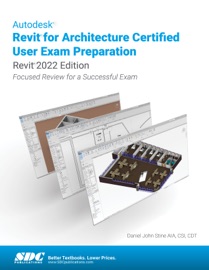
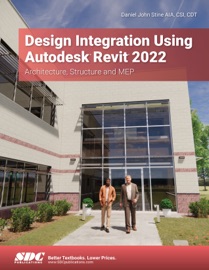
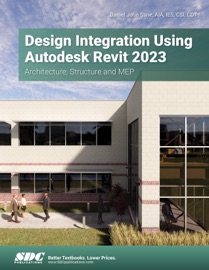
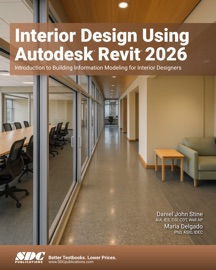
Throughout the book you develop a two story law office. The drawings start with the floor plans and develop all the way to photo-realistic renderings similar to the one on the cover of this book. Along the way the buildingās structure, ductwork, plumbing and electrical (power and lighting) are modeled. By the end, you will have a thorough knowledge of many of the Revit basics needed to be productive in a classroom or office environment. Even if you will only be working with one component of Revit in your chosen profession, this book will give you important knowledge on how the other disciplines will be doing their work and valuable insight into the overall process.
The first four chapters cover many of the Revit basics needed to successfully and efficiently work with the software. Once the fundamentals are covered, the remaining chapters walk you through a building project which is started from scratch so nothing is taken for granted by you or the author.
About Bonus Material
Each book also includes the following:
⢠Bonus chapters include an introduction to Revit Families, Rooms and Spaces, Lighting Design, Autodesk Showcase and much more. ⢠A bonus draft copy of the Roof Study Workbook which includes information on controlling the top surface of the roof in Revit
As an instructor, the author understands that many students in a classroom setting have varying degrees of computer experience. To help level the playing field an entire bonus chapter is devoted to an introduction to computers. Much of the basics are covered, from computer hardware and software to file management procedures: including step-by-step instructions on using a flash drive.
Table of Contents
1. Getting Started with Autodesk Revit 2022 2. Quick Start: Small Office 3. Overview of Linework and Modify Tools 4. Drawing 2D Architectural Objects 5. Floor Plans 6. Roof, Floors and Ceilings 7. Vertical Circulation 8. Structural System 9. Annotation 10. Elevations, Sections and Details 11. Interior Design 12. Schedules 13. Mechanical System 14. Electrical System 15. Site and Renderings 16. Construction Documents Set 17. Introduction to Phasing and Worksharing 18. Introduction to Revit Content Creation 19. Introduction to Computers for CAD/BIM Users Appendix A: Autodesk Revit Certification Exam Introduction Appendix B: Finding Missing Elements in Revit Appendix C: Roof Study Workbook Appendix D: Rooms and Spaces; Revitās Unbuilt Elements Appendix E: Lighting Design in Revit using ElumTools Appendix F: Introduction to working with 3D PDF Appendix G: Building Performance Analysis in Revit 2022 and Insight 360 Appendix H: Introduction to Multi-Story Stairs
Design Integration Using Autodesk Revit 2022 - Daniel John Stine
⢠Covers all three disciplines of Autodesk Revit in one book ⢠Guides you through creating a two story law office while teaching you the BIM process ⢠Uses step-by-step tutorials and starts at an introductory level ⢠Bonus chapters include an introduction to lighting design, multi-story stairs, building performance analysis and much more
Design Integration Using Autodesk Revit 2022 is designed to provide you with a well-rounded knowledge of Autodesk Revit tools and techniques. All three disciplines of the Revit platform are introduced in this textbook. This approach gives you a broad overview of the Building Information Modeling (BIM) process. The topics cover the design integration of most of the building disciplines: Architectural, Interior Design, Structural, Mechanical, Plumbing and Electrical. Civil is not covered, but adding topography to your model is.
Throughout the book you develop a two story law office. The drawings start with the floor plans and develop all the way to photo-realistic renderings similar to the one on the cover of this book. Along the way the buildingās structure, ductwork, plumbing and electrical (power and lighting) are modeled. By the end, you will have a thorough knowledge of many of the Revit basics needed to be productive in a classroom or office environment. Even if you will only be working with one component of Revit in your chosen profession, this book will give you important knowledge on how the other disciplines will be doing their work and valuable insight into the overall process.
The first four chapters cover many of the Revit basics needed to successfully and efficiently work with the software. Once the fundamentals are covered, the remaining chapters walk you through a building project which is started from scratch so nothing is taken for granted by you or the author.
About Bonus Material
Each book also includes the following:
⢠Bonus chapters include an introduction to Revit Families, Rooms and Spaces, Lighting Design, Autodesk Showcase and much more. ⢠A bonus draft copy of the Roof Study Workbook which includes information on controlling the top surface of the roof in Revit
As an instructor, the author understands that many students in a classroom setting have varying degrees of computer experience. To help level the playing field an entire bonus chapter is devoted to an introduction to computers. Much of the basics are covered, from computer hardware and software to file management procedures: including step-by-step instructions on using a flash drive.
Table of Contents
1. Getting Started with Autodesk Revit 2022 2. Quick Start: Small Office 3. Overview of Linework and Modify Tools 4. Drawing 2D Architectural Objects 5. Floor Plans 6. Roof, Floors and Ceilings 7. Vertical Circulation 8. Structural System 9. Annotation 10. Elevations, Sections and Details 11. Interior Design 12. Schedules 13. Mechanical System 14. Electrical System 15. Site and Renderings 16. Construction Documents Set 17. Introduction to Phasing and Worksharing 18. Introduction to Revit Content Creation 19. Introduction to Computers for CAD/BIM Users Appendix A: Autodesk Revit Certification Exam Introduction Appendix B: Finding Missing Elements in Revit Appendix C: Roof Study Workbook Appendix D: Rooms and Spaces; Revitās Unbuilt Elements Appendix E: Lighting Design in Revit using ElumTools Appendix F: Introduction to working with 3D PDF Appendix G: Building Performance Analysis in Revit 2022 and Insight 360 Appendix H: Introduction to Multi-Story Stairs